
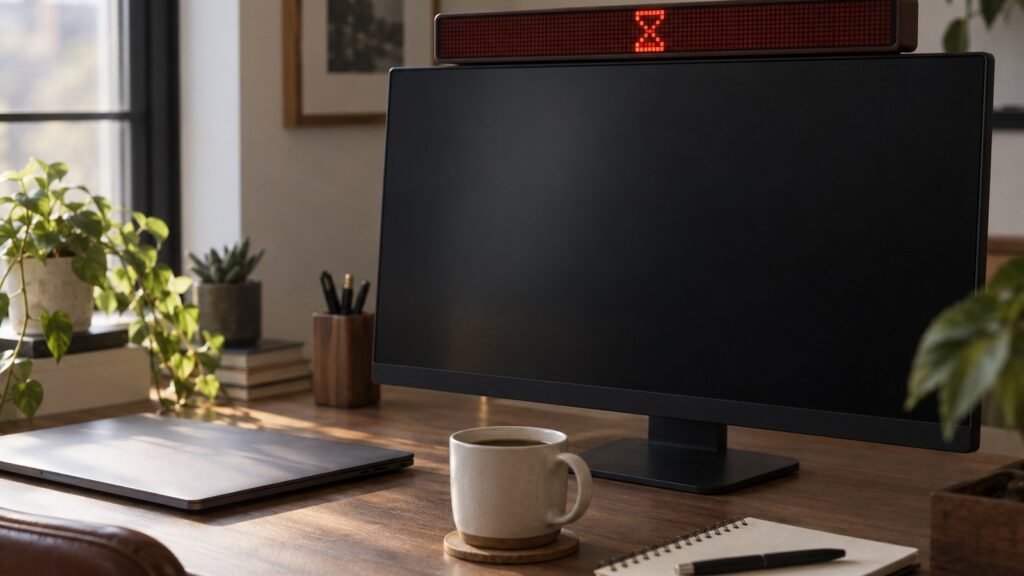

The little LED bar that tells coworkers to leave you alone just got a lot more interesting. Flipper Devices, the team behind the Flipper Zero, has pushed out new firmware for its Busy Bar that adds a JavaScript runtime. Developers can now build their own apps that run directly on the gadget.
- New Busy Bar firmware adds a JavaScript runtime, so custom apps run on the device itself.
- Developers can build live data widgets, games, and smart alerts for the 72 x 16 LED screen.
- A curated Busy Apps Catalog of community-built apps is planned for the end of November.
A Do Not Disturb Sign With a Brain
If you haven’t seen the Busy Bar yet, picture a long, retro-style pixel display that sits on top of your monitor. Press a button and it shows a bright status message, so anyone walking by knows you’re heads down. It can add a countdown timer too, so people know exactly when you’ll be free again.
The Busy Bar can also start a Pomodoro timer and mute notifications on your other devices. It can switch into Busy Mode on its own through custom triggers, like when you join a phone call. One reviewer even pitched it as a gadget for people with ADHD who want help managing their time and focus.
It’s a calm product from a company best known for the Flipper Zero, a pocket hacking multitool that can read radio signals and copy things like key cards. The Busy Bar is the friendlier sibling.
What the JavaScript Runtime Changes
Flipper Devices gave the Busy Bar an open API from the start, so developers could hook it into other systems, like an office scheduling tool that shows when a meeting room is booked or open. There are also companion apps for iOS, Android, macOS, and watchOS, and the company said a native Windows app was planned.
The new firmware goes further. With a built-in JavaScript runtime, apps now run right on the Busy Bar, no computer needed. Developers can build live data widgets, simple games, and smart alerts that show up on that 72 x 16 pixel screen.
A display that sits in your line of sight all day is a natural home for small, glanceable bits of info. And since the apps are written in JavaScript, a language plenty of web developers and hobbyists already know, the barrier to building something fun or useful is pretty low.
An App Catalog Is on the Way
Not everyone wants to write code. At the end of November, the company plans to launch a Busy Apps Catalog, a curated collection of community-built apps that owners can download to their devices.
For regular owners, this could be the part that matters most. A runtime is great for tinkerers, but a curated store lets everyone else grab new features without opening a code editor. One reviewer wondered whether the Busy Bar could bring a bit of Flipper Zero style hacking to the workday. On-device apps, plus an easy way to share them, push it closer to that idea.
Who Might Want One
Flipper opened preorders for the Busy Bar in July. In Germany, the launch price was 215 euros, with plans to raise it to 269 euros later. You can also order it through Amazon in Germany now.
The obvious fit is anyone who works in a shared space and keeps getting pulled out of deep focus. Open offices, busy households, and home offices with kids all qualify. Fans of the Pomodoro method get a timer that everyone around them can see.
The JavaScript update widens the audience. If you like building small projects, you now have a desk display you can program without a laptop tether. If you don’t, you’ll soon have a catalog of other people’s ideas to try.
Give Your Desk Display Something New to Do
The Busy Bar started as a clever do not disturb sign with timers and smart triggers. With on-device JavaScript apps, it’s turning into a small platform. Developers can start building now, and the Busy Apps Catalog should make their creations easy to find when it arrives at the end of November.
If you already own one, update the firmware and watch for the catalog launch. If you’ve been on the fence, the shift from a single-purpose gadget to a programmable one might be the nudge you need.